Secrets
> Store API keys, tokens, and other sensitive values securely and reference them in your flows.
Secrets are encrypted key-value pairs that live at the workspace level. They keep sensitive credentials out of your flows and make it easy to swap keys without editing every route that uses them.
Creating secrets
1. Go to Settings > Global Secrets. 2. Click Add Secret. 3. Enter a name (e.g., STRIPE_API_KEY) and the secret value. 4. Optionally add a description to help your team understand what the secret is for. 5. Click Save.
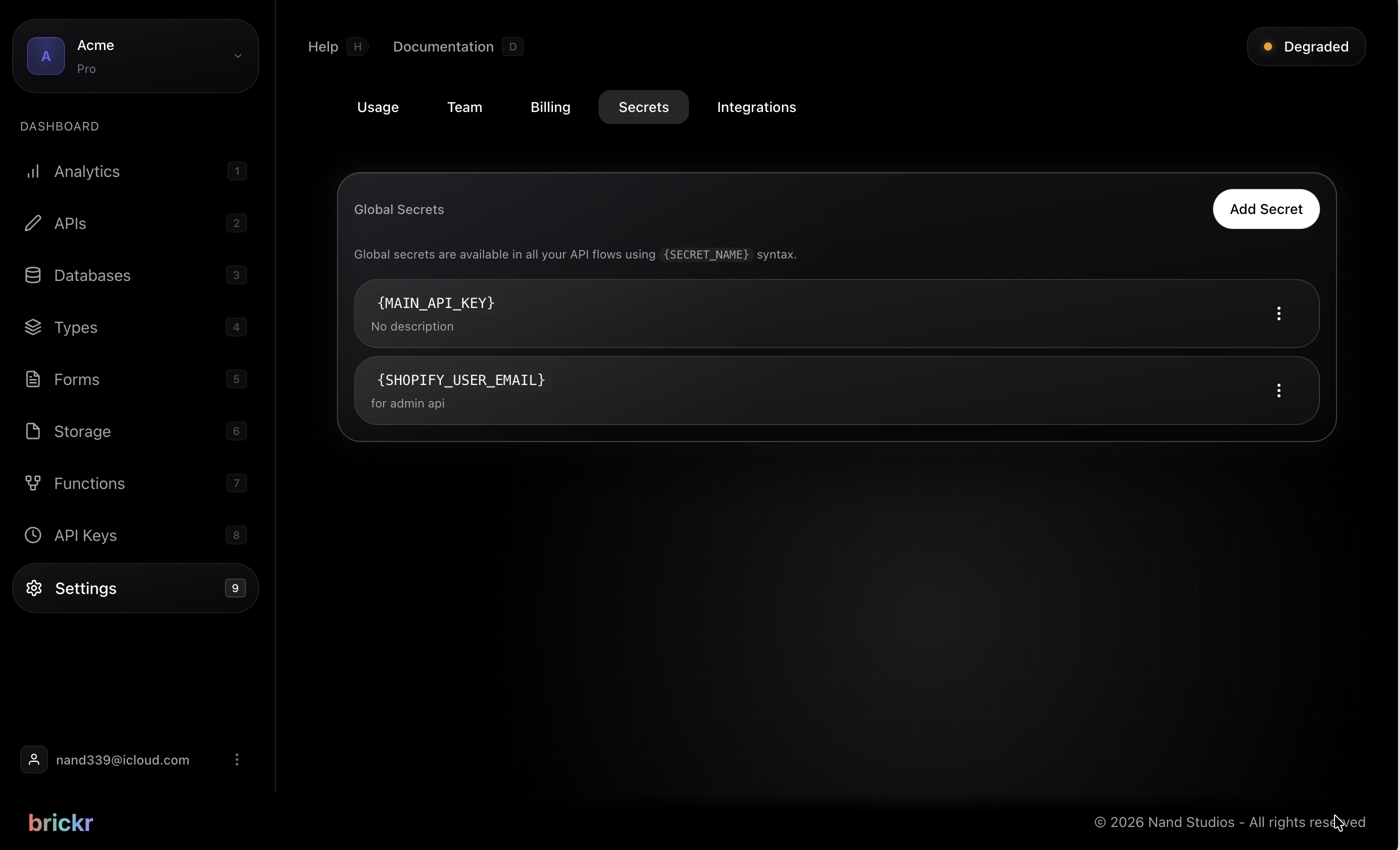
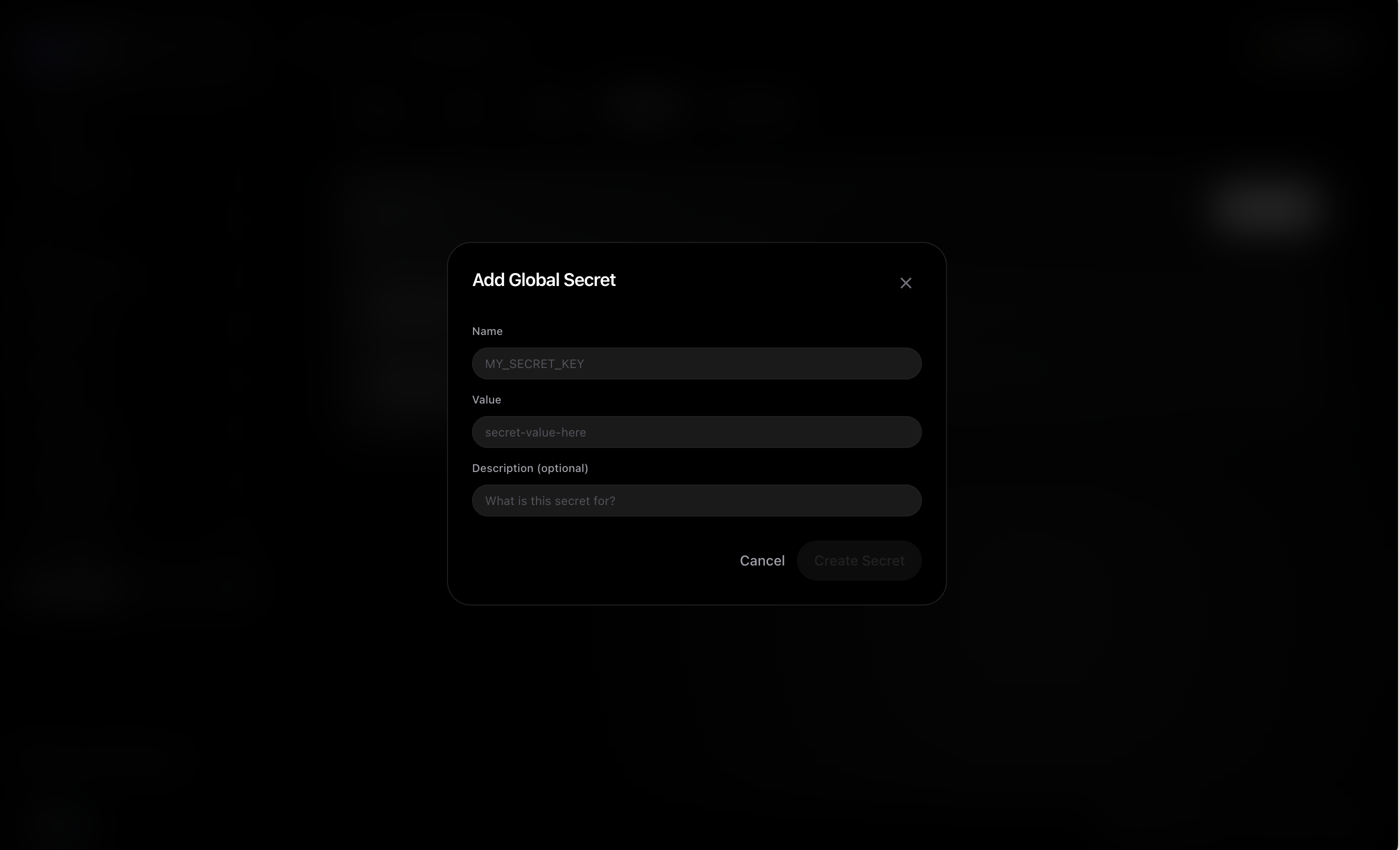
Secret values are write-only. After saving, the value is hidden and cannot be read back from the dashboard. You can update or delete a secret at any time.
Using secrets in flows
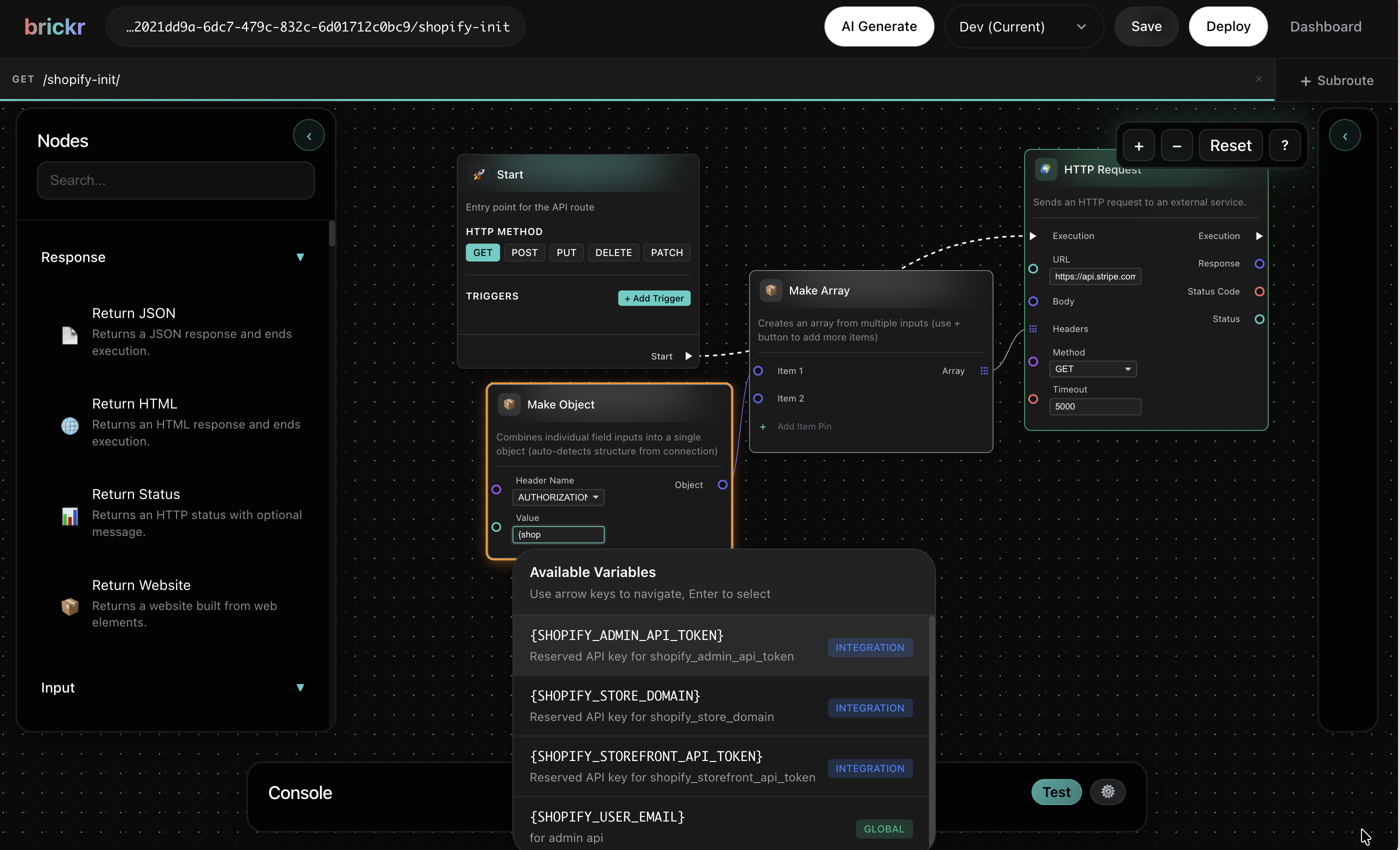
Reference a secret anywhere in your flow by wrapping its name in curly braces:
{MY_SECRET_NAME}Brickr replaces the placeholder with the actual secret value at execution time. This works in any string input on any node -- HTTP headers, request bodies, database queries, email content, and more.
Example: Calling an external API with an API key
1. Add an HTTP Request node. 2. In the Headers input, set Authorization to Bearer {STRIPE_API_KEY}. 3. At runtime, Brickr resolves {STRIPE_API_KEY} to the stored value before making the request.
!Secret placeholder usage in Builder
Reserved API keys
Brickr recognizes several built-in secret names for first-party integrations. If you store a secret with one of these names, the corresponding node will use it automatically:
| Secret name | Used by | |-------------|---------| | OPENAI_API_KEY | AI nodes (GPT models) | | ANTHROPIC_API_KEY | AI nodes (Claude models) | | RESEND_API_KEY | Email nodes (Resend) | | DEEPSEEK_API_KEY | AI nodes (DeepSeek models) |
You do not need to manually reference these keys in your flows. When you use an AI or Email node, Brickr automatically pulls the matching reserved key from your secrets.
Variables vs. secrets
If you use a Set Variable node in your flow with the same name as a secret, the variable value takes priority for that flow run. This lets you override a secret temporarily within a specific flow without changing the stored secret.
Good to know
- After you update a secret, it may take up to 5 minutes for running routes to pick up the new value.
- Secret values are never shown in the dashboard after creation. You can update or delete them at any time.
- Secrets are scoped to your workspace. Only members with the manage_settings permission can manage secrets.
- Always use the
{SECRET_NAME}placeholder instead of pasting secret values directly into node inputs.
If a placeholder like {SOME_KEY} has no matching secret or variable, it is left as-is in the final string. Double-check your secret names if a third-party API returns an authentication error.
What's next?
| Topic | Description | |-------|-------------| | API Keys | Manage your Brickr API keys | | Workspace | Workspace settings and members | | HTTP Nodes | Make external API calls using your secrets | | Email Integration | Send emails with Resend |