Dashboard
> Your central hub for managing APIs, databases, forms, and more.
The Brickr Dashboard gives you a complete overview of your workspace. From here, you can access all major features, monitor your API usage, and manage your resources.
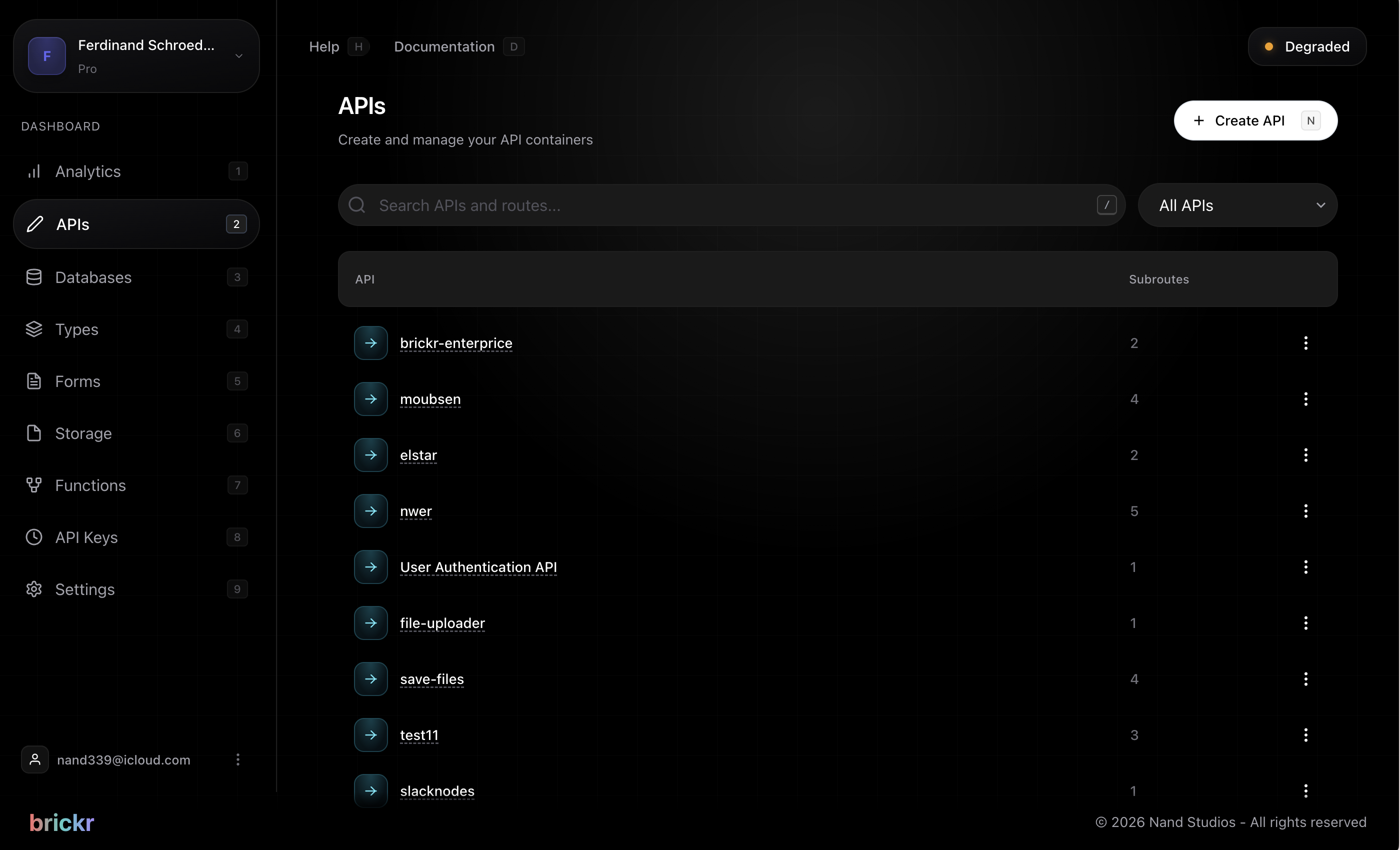
Sections
The dashboard is divided into several sections, accessible from the left sidebar:
Analytics
The analytics section shows your API usage at a glance:
- Total requests over the selected time period
- Request breakdown by route and method
- Error rate and status code distribution
- Response time averages
APIs
View and manage all your apis. Each API card shows:
- API name and base path
- Number of routes
- Last deployment time
Click on any API to see its routes, or click Create API to start a new one.
Routes
A flat list of all routes across all APIs. Use the search bar to quickly find a specific route. Click on any route to open it in the Builder.
Databases
Manage your database tables. Brickr provides a built-in relational database with:
- Visual table editor
- Column types matching the Brickr type system
- Row-level data viewer and editor
- Import/export capabilities
Forms
Create and manage forms with a visual form builder. Forms can:
- Collect user input with 25+ field types
- Validate submissions with built-in rules
- Trigger route execution on submission
- Be shared via a public URL
Storage
Upload, organize, and manage files in buckets. Storage supports:
- File upload and download
- Public and private access
- Automatic MIME type detection
- Integration with flows via storage nodes
Functions
Reusable functions that can be called from multiple routes. Functions help you avoid duplicating logic across routes.
Custom Nodes
Import or create custom nodes to extend the Builder with your own logic.
Workspace settings
Access workspace settings from the gear icon in the sidebar. Here you can:
- Rename your workspace
- Manage team members and roles
- View and rotate API keys
- Configure billing and plan
Workspace settings are only available to workspace admins. Members can view but not modify settings.