APIs
> Organize your backend logic into clean, deployable API endpoints.
An api in Brickr is a container that groups related routes under a shared base path. Think of it as a project or service -- all routes inside an API share the same URL prefix and are managed together.
What is an API?
Every backend service you build in Brickr starts with an API. When you create an API, you define:
- A name to identify it in your dashboard
- A base path (e.g.,
/shop,/auth,/data) that prefixes all routes inside it
All routes within the API are accessible under that base path. For example, if your API has a base path of /shop, a route with the path /products would be available at /shop/products.
API URLs
Once deployed, your API routes are live at:
https://app.brickr.dev/{workspace-id}/{base-path}/{route-path}For example:
| Base Path | Route Path | Full URL | |-----------|-----------|----------| | /shop | /products | https://app.brickr.dev/my-workspace-id/shop/products | | /shop | /products/:id | https://app.brickr.dev/my-workspace-id/shop/products/123 | | /auth | /login | https://app.brickr.dev/my-workspace-id/auth/login |
Creating an API
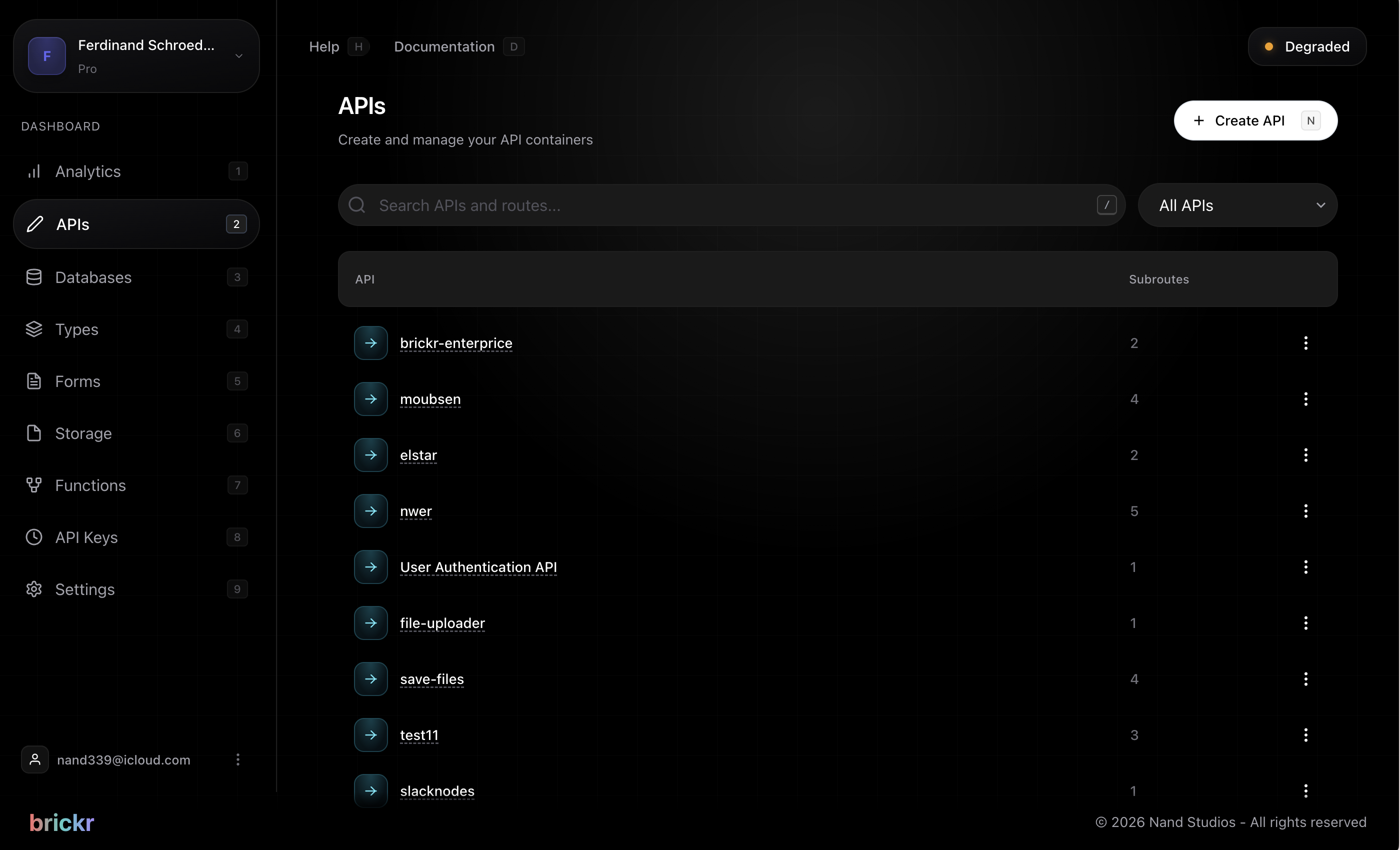
1. Navigate to Dashboard > APIs. 2. Click Create API. 3. Enter a name and base path. 4. Your API is ready -- click on it to start adding routes.
Base paths must be unique within your workspace. Two APIs cannot share the same base path.
Managing APIs
From the APIs section of your dashboard, you can:
- View all routes within an API
- Edit the API name or base path
- Delete an API and all its routes
- Deploy all routes in one action
What's next?
| Topic | Description | |-------|-------------| | Creating Routes | Add endpoints to your API | | HTTP Methods | Choose the right method for each route | | Parameters | Work with path params, query params, and request bodies |