Data
Use KV and tables for sessions, submissions, content, game state and other route-backed data.
Read the docsBrickr is a visual API builder for backend routes. Use built-in nodes, write custom JavaScript or TypeScript nodes with the Brickr CLI, test everything in the web editor and deploy REST APIs without setting up a full backend project.
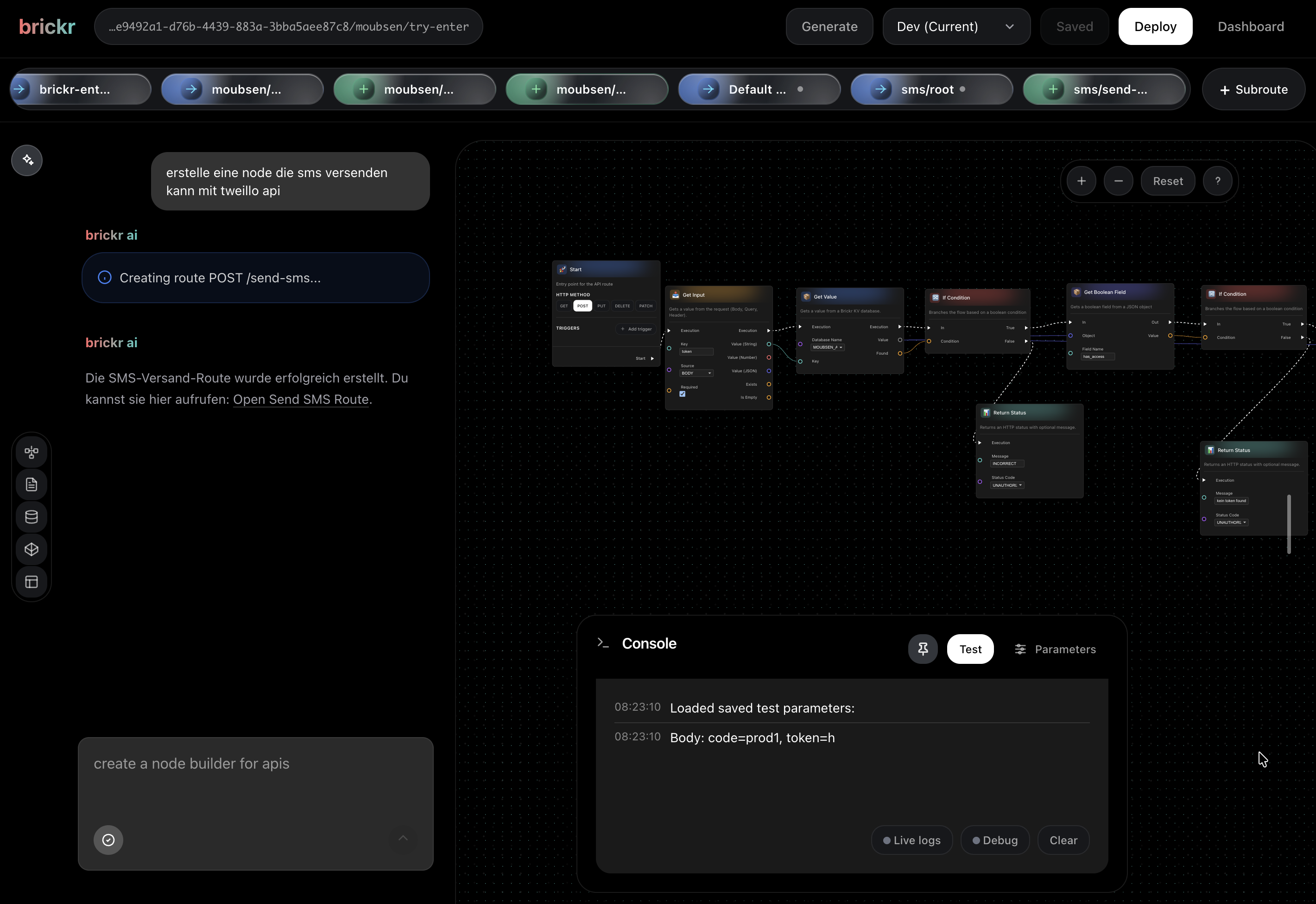
Brickr nodes work closer to Blueprint-style visual scripting than workflow automation. A node should do one clear thing: get a value, compare it, transform it, set a field or return a result.
That keeps routes readable. Instead of hiding logic inside one giant "do everything" block, Brickr lets values move through typed pins step by step.
Read the node docsSend a request from the editor and watch the route run step by step. See what each node received, what it returned and where the flow stopped.
Turn your flow into a live endpoint with one click. Brickr keeps every deployment as a version, so you can go back, edit an older version and redeploy with confidence.
Use built-in data, forms, storage, types, AI and integrations directly inside your route logic. Connect them as nodes, test the full path, and deploy everything as one live API endpoint.
Use KV and tables for sessions, submissions, content, game state and other route-backed data.
Read the docsCreate frontend-facing inputs and UI objects that connect directly to Brickr routes.
Read the docsHandle uploads, files and generated assets inside the same flows you test, deploy and version.
Read the docsDefine structures, enums and reusable variables once, then use them across routes and custom nodes.
Read the docsAdd GPT-powered steps to your flows for text generation, input processing and lightweight AI behavior.
Read the docsUse built-in nodes for Shopify, Slack and other services, or connect any external API.
Read the docsCreate reusable JavaScript or TypeScript nodes with the Brickr CLI and use them inside the same visual flows as built-in nodes. Your code gets typed inputs and outputs, can use workspace secrets, and stays testable inside the builder.
Brickr AI is available in every workspace, including the free tier. It can generate route flows, write Code Nodes, help manage databases and explain what happens inside your builder. You stay in control: review the result, adjust the logic and continue editing visually.


